Add from text turns plain writing into diary entries. Paste in food notes from an email, a message or a paper diary, or just type what you had. Foodzone matches each item to a food, then you check the matches and save.
It is available on the Australia food database. On other databases the option does not appear. See Choose a food database.
Open it
- In the diary, select Add at the top of the day you want.
- Choose From text.
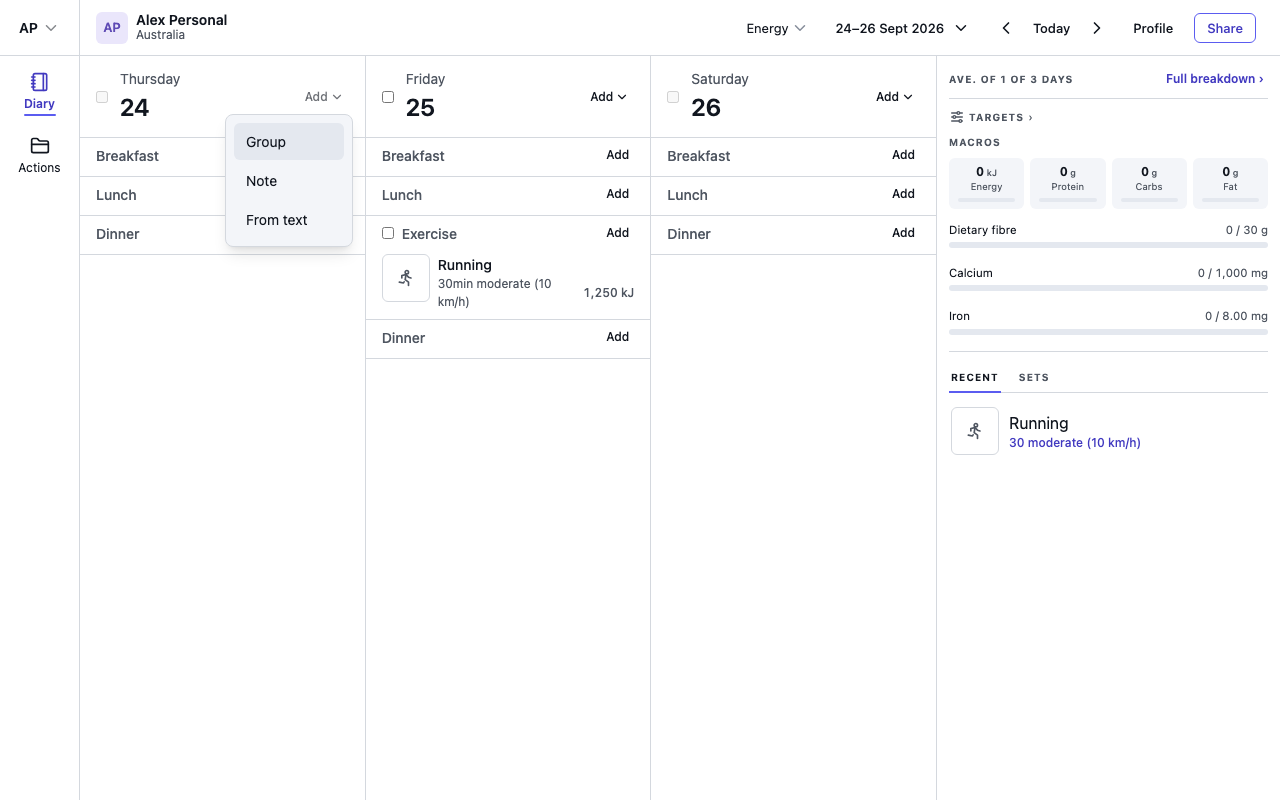
Paste or type your notes
Write the way you normally would. Putting each meal on its own line, such as Breakfast: porridge with banana and a flat white, helps Foodzone put things in the right group.
Exercise and notes work too. A line such as felt bloated after lunch is saved as a note beside that meal.
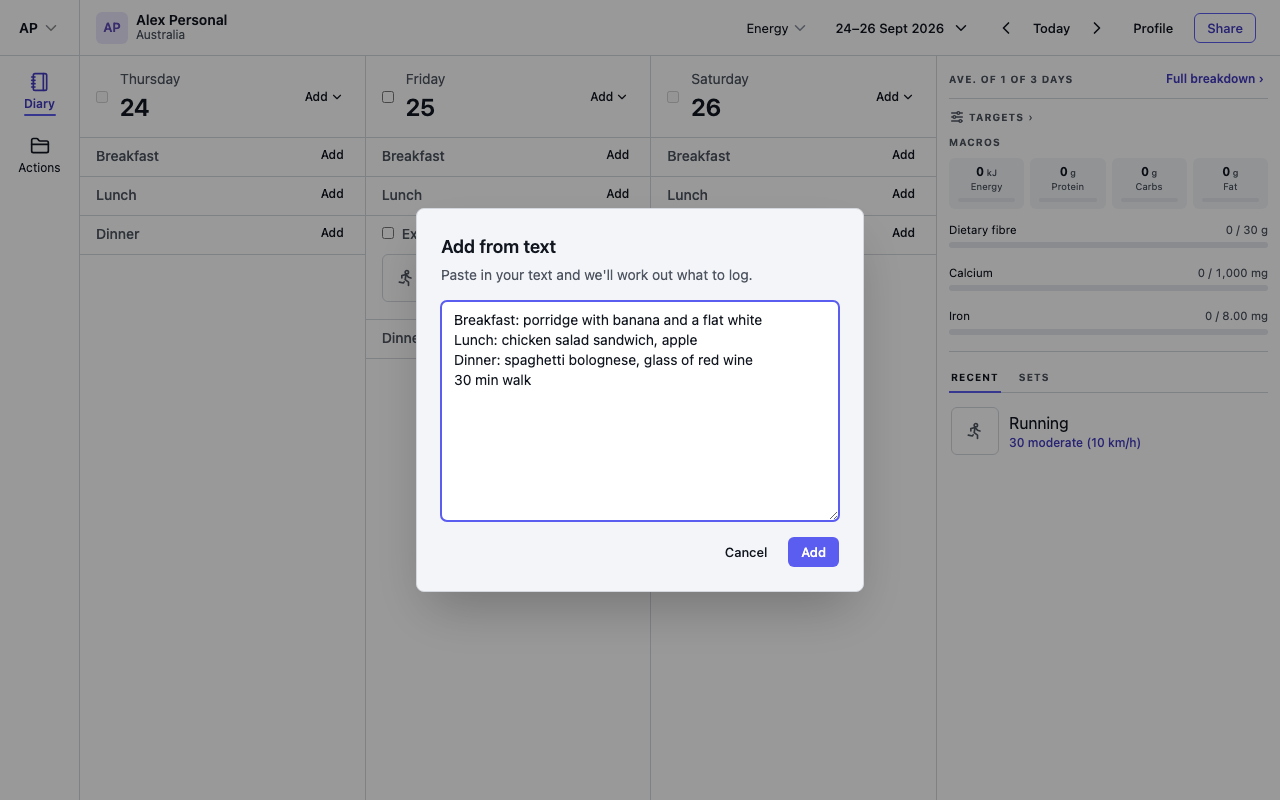
Select Add when you are done.
More than one day
You can paste up to a week at once. Start each day with a heading, such as a date (12 Sep or 2026-09-12), Today, Yesterday or a weekday (Monday). Text with no headings goes on the day you opened it from.
If your notes use weekdays but no dates, Foodzone asks which date the first weekday is before it reads them.
Check the matches
Next you see Check the matches. It lists each day, then each meal, the way the diary will show them. Every line shows what Foodzone read, the food it matched and the amount.
Some lines are marked for you to look at:
- Best guess or Amount guessed: Foodzone was not sure. Check the food or the amount, and change it if it is wrong.
- Amount needed: add a quantity before you can save.
- No match: nothing suitable was found. Select Search to find the food yourself, or remove the line.
On any line you can:
- change the amount or the measure
- select Change to choose a different food
- pick a different meal from the menu next to Read as
- select the bin to remove the line
Nutrition always comes from the food database. Foodzone only uses your words to find the food and the amount.
Save
The bottom of the dialog says how many lines will be saved. When nothing still needs an amount or a match, select Save and the entries go into the diary. Select Back to text to edit your notes and read them again.
Daily allowance
Each day of notes Foodzone reads uses one of today's assistant reads. The review shows how many you have used today. Saying what you ate in the phone app uses the same allowance. It resets at midnight. If it runs out partway through a paste, the days it could not read are marked, and you can add them again the next day.