Instead of searching for each food, you can say what you had, such as two eggs on toast and a flat white, and Foodzone finds the foods for you. You check the matches before anything goes in your diary.
Voice is available on the Australia food database. On other databases the Say it button does not appear. See Choose a food database.
Say it
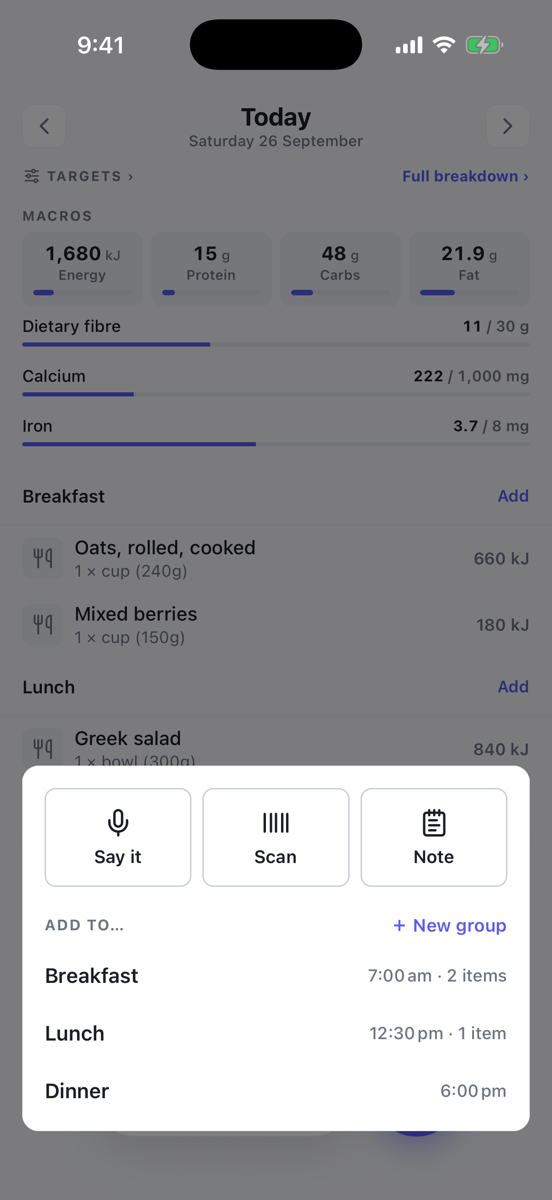
- On the diary, tap the round + button.
- Tap Say it at the top of the sheet.
- The first time, allow the microphone and speech recognition when your phone asks.
- Say what you had. Your words appear on the screen as you speak.
- Tap the microphone when you are done.
You can say several things at once, and name the meal: for lunch I had a ham sandwich and an apple, then a 30 minute walk. Exercise and notes work too.
Would rather type? Tap Type instead, write it out and tap Match. If voice is not available on your phone, the app opens the typing box for you.
Check the matches
The next screen shows You said with your words, then what Foodzone found, grouped by meal. Each line shows the food, the amount and its kilojoules.
Some lines are marked for you to look at:
- Amount guessed: you did not say how much, so Foodzone picked a usual amount. Tap it to change it.
- Amount needed or Duration needed: add a quantity before it can go in.
- Not found: nothing suitable was found. Tap Add as new food to suggest it, or remove it.
A small clock icon means you have logged that food before.
To fix a line, tap it. You see the Closest matches, and you can change the measure and quantity. Tap Use this to keep your change, or Search instead to look it up yourself. Tap the bin to remove a line, and Undo to bring it back.
If Foodzone misheard you, tap Edit next to You said, fix the words and tap Done. Foodzone reads them again.
Nutrition always comes from the food database. Foodzone only uses your words to find the food and the amount.
Add it
Tap Add at the bottom, for example Add 3 items. Tap Try again to start over and say it again.
Daily allowance
Each time Foodzone reads what you said it uses one of the day's assistant reads, shared with Add from text on the website. It resets at midnight. If you run out, your words go to search instead so you can still find the foods yourself.